
In order to share waivers, or any digital document, in a multigym environment, you need to first assign a matching Document Type in each of your databases.
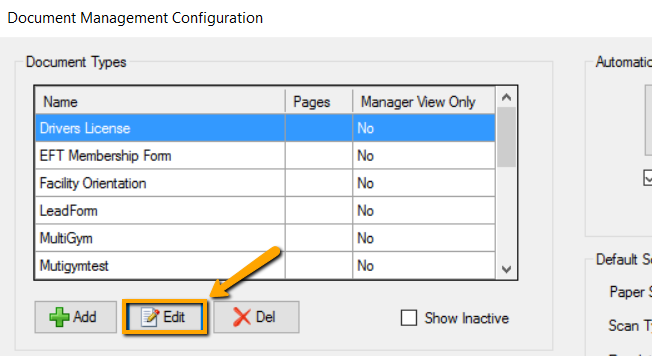
- For each document you’ll be sharing between facilities, from Data Entry go to Manage > Document Management and click on the Edit button.
- Place a check next to Custom Classification Barcode and type “Waiver” (or whatever you want to call your document) and click OK.
*Note: This classification needs to be identical in each location.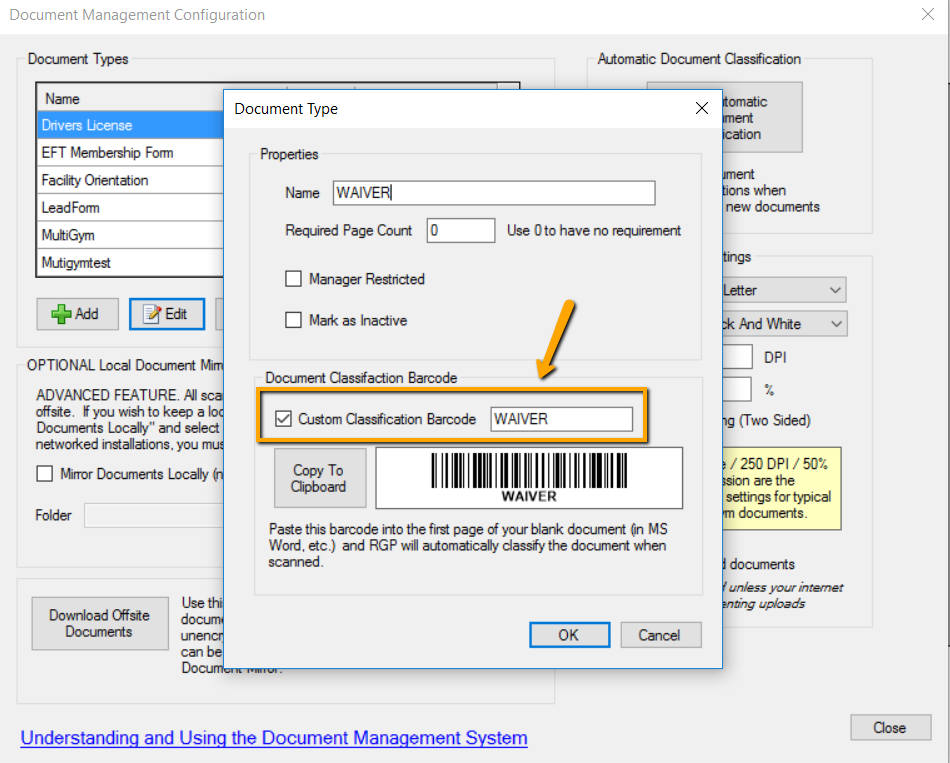
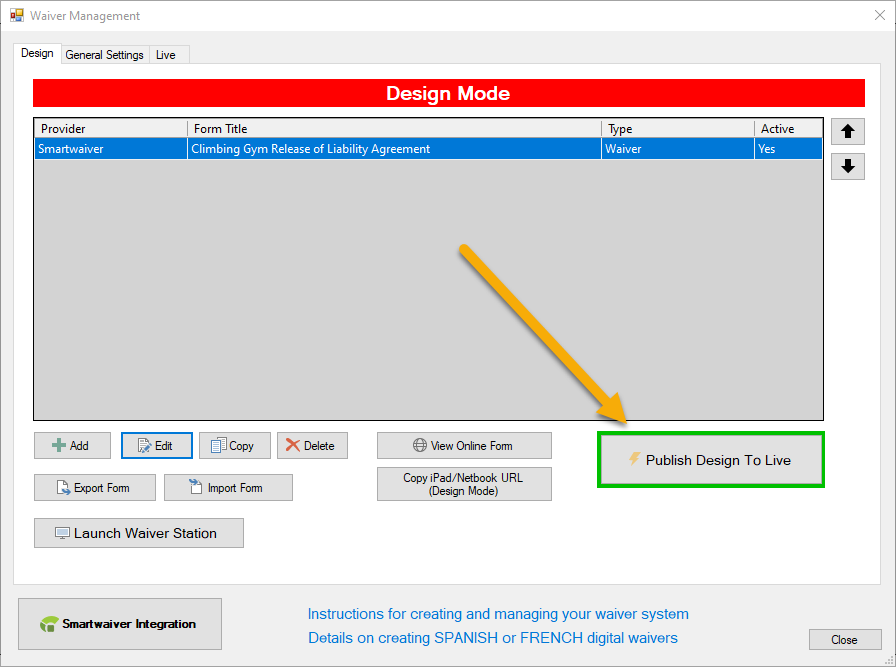
- Now, from Data Entry go to Waiver Management/Stations > Edit and select the proper Document Type from the list and reassign the document type.
- Click Publish Design to Live
Repeat the above steps in each location’s database.

Comments
Please sign in to leave a comment.